Why Can't I See Someone's Following List on Instagram? (2026)

A Following list that will not open has five possible causes, and four of them are not faults. How to tell a private account from a block from a list Instagram simply will not serve in full.

SUS Editorial Team
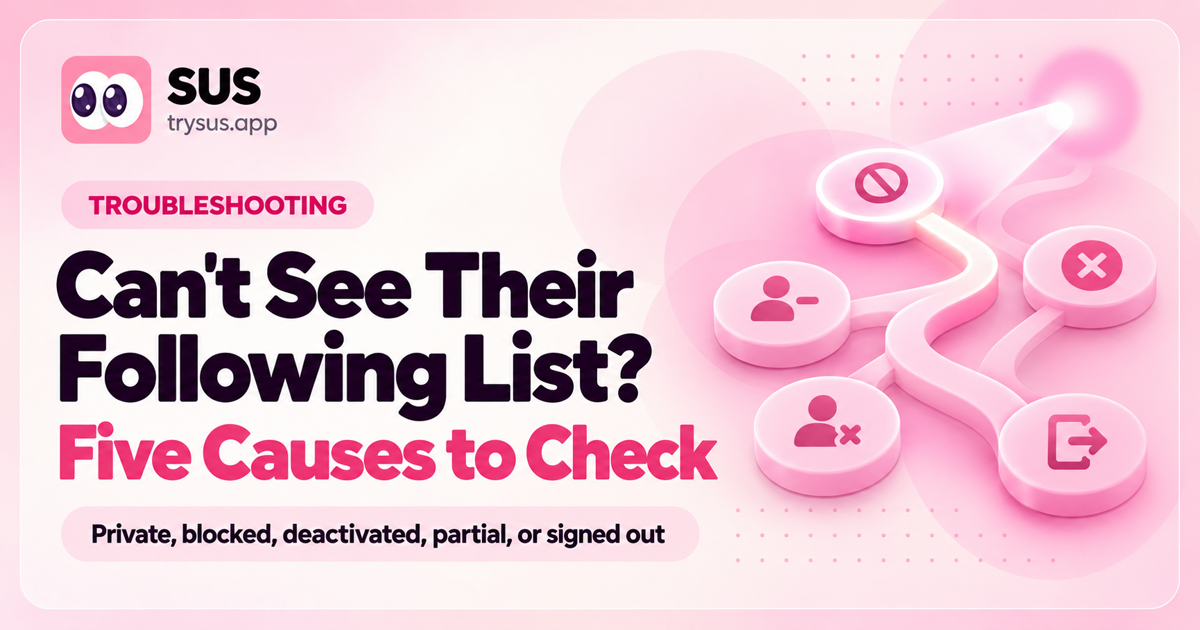
SUS article cover: "Why can't I see their following list?" with the SUS wordmark, an Explainer label and the line "Five reasons, five fixes".

When a Following list will not open, almost everyone assumes the same thing: a bug, a bad connection, or an account that has blocked them. Usually it is none of those. A Following list can fail to load for five different reasons, and only one of them is something you can do anything about.

The five are worth separating, because the fixes do not overlap. One is a privacy setting. One is a block. One is an account that no longer exists. One is Instagram declining to serve the whole list. And one is simply that you are not signed in. Telling them apart takes about a minute, and it saves you from spending an evening on the wrong explanation.

Why can't I see someone's following list on Instagram?

There are five reasons, and four of them are not faults:

The account is private. Their Following list is visible only to people they have approved as followers.

You are blocked. A block removes their profile from you entirely, so there is no list to load.

The account is deactivated or deleted. The profile still resolves, but it has nothing behind it.

The list loads but is incomplete. You can open it, and it shows far fewer accounts than the count says they follow.

You are not signed in. Instagram asks logged-out visitors on the web to sign in before showing lists.

The first three are absolute. The last two are the ones that get mistaken for each other, and the fourth is the one almost nobody explains correctly.

Reason 1: the account is private

If the account is private and you are not an approved follower, their Following and follower lists are not visible to you. That is the whole answer, and it is a setting rather than a fault — the list is not slow or broken, it is withheld.

This is the reason most people hit, and it is the one that generates the most wasted effort, because it is also the reason most often misdiagnosed. A private account does not show you a truncated list or an error. It shows you the profile, a follower count, and no way in. If you are looking at a locked profile with no list, stop here.

Worth knowing from the other side: going private is the only setting that actually restricts who sees a list. There is no separate "hide my following list" switch, and what going private really changes is narrower than people assume.

Reason 2: you have been blocked

A block is the bluntest of the five. It does not hide one part of the profile — it removes the profile from you, so the Following list is not being withheld, it is unreachable. You will typically get a profile that will not load at all, or a "user not found" state, rather than an empty list.

Blocking is also the reason a list can appear to vanish overnight when nothing about the account changed. If you could read someone's list yesterday and cannot today, and the account is still clearly active, a block is the first thing to check — from a different account, or signed out. It is the only test that separates a block from a deactivation without asking the person.

Reason 3: the account is deactivated or deleted

A deactivated account disappears from search, from tags, and from every list it used to appear in, but its profile URL may still resolve to a placeholder rather than a clean 404. A deleted account eventually stops resolving entirely. Either way there is no Following list to read, because there is no account.

Deactivations are temporary more often than not — people step away for a week and come back — so this is the one reason on the list that can fix itself. If the profile has been dark for a while and the follower count has not changed, it is usually a deactivation rather than a deletion.

Reason 4: the list loads, but it is not the whole list

This is the interesting one, and the one that is genuinely hard to find a straight answer about. You open a public account's Following list, it renders normally, and it contains a fraction of the accounts the profile says they follow. The count says 477. You can scroll the list to the end in under a minute.

It is not a display bug on your side, and it is not a cache problem. What Instagram serves to a visitor is not the same thing as the list that exists. The number on the profile is a count of real relationships; the list you can page through is a view assembled for you, and it is not obliged to contain all of them.

What an incomplete list looks like

The tell is a mismatch you can measure in about ten seconds: compare the number of accounts shown with the number in the profile's Following counter. On small accounts the gap is often small and easy to miss. On larger ones it can be most of the list. The accounts you can see are also not the ones you would expect — they tend to be the accounts that account interacts with, shares mutuals with, or that are otherwise prominent to you, rather than a neutral slice.

People notice this most often on accounts that follow a few hundred people or more, and they describe it the same way: "it says he follows 477 but I can only see a few dozen." That is the shape of this reason. If your list ends abruptly at a round-ish number while the counter says something much larger, you are looking at it.

Why the count and the list disagree

The counter and the list are produced by different parts of Instagram. The counter is a stored number. The list is generated per request, per viewer, which is why it can differ between two people looking at the same profile at the same moment, and why it can differ between two of your own visits.

That behaviour became much more visible after 9 September 2026, when Instagram reworked how Following lists are served. Before that date, the order of someone else's list at least carried a hint about time, and a reader could use that hint to judge whether they were seeing a list served whole. After it, the order carries no time information at all, and the list you get back can differ from one reading to the next. The September 2026 change is covered in detail here, and the underlying mechanics of why the order was never chronological in the first place explain why the list never behaved like a simple page of records.

Instagram has published nothing about how much of a list it returns to a visitor, and there is no setting, no account type and no app version that changes it. It is also not something that a login fixes — a signed-in visitor gets a more stable page, not a complete one.

Reason 5: you are not signed in

On the web, Instagram increasingly asks logged-out visitors to sign in before showing a profile's lists at all. If you are opening a link in a private window or on a device where you are signed out, you may see a login wall rather than a list, and it can look like the account is private or restricted when neither is true.

This is the cheapest of the five to rule out, so it belongs first in any diagnosis. Sign in and reload. If the list appears, none of the other four reasons apply, and you have saved yourself the rest of this article. If the account is public and you are signed in and the list is still partial, you are in Reason 4 — the case with no switch to flip.

How to tell which reason you are hitting

The five reasons are separable with five checks, and they take about a minute in total. Work down the list and stop at the first one that matches.

The five checks, in order

Sign in and reload. This rules out Reason 5 and costs nothing. A list that appears once you are signed in was never missing.

Look at the profile itself. If the profile does not load at all, or returns a "user not found" state, you are looking at a block or a deactivated account — Reasons 2 and 3. If the profile loads normally with posts and a follower count, neither applies.

Check whether the profile is locked. A padlock, a "This account is private" notice, and a Follow request button all mean Reason 1. There is no further test to run.

Compare the counter with the list. If the profile is public, the profile loads, and the list opens but is obviously shorter than the counter, that is Reason 4 — and the size of the gap tells you how much you are missing.

Try a second account. If a different account sees a different number of entries in the same list, you are confirming Reason 4 rather than discovering a new problem. A block, by contrast, affects every account equally.

One note on reading these checks: the fourth and fifth produce a partial list, not an empty one. An empty list is almost always one of the first three reasons, and a short list is almost always the fourth.

What to do when the list is public but partial

If you have landed on Reason 4, there is no setting to change and nothing to reinstall. What you can do is change your method: stop trying to read the whole list in one pass, and start recording what is visible so that you can compare it later. That is the only approach that survives an incomplete list.

Method 1: read the whole list in one sitting

Open the profile, tap the Following count, and scroll the list to the end without stopping. Screenshot as you go, or keep the list open while you write names down. Do not close and reopen the list partway through — because the view can be regenerated per request, a list you leave and return to may not be the same list, and a comparison between two different views is not a comparison.

This gets you the most complete single snapshot available to a visitor. It is also the only method that requires nothing but the app, and it is worth doing once before you decide whether the gap matters to you.

Method 2: record what you can see and compare later

The more useful move is to accept that no single reading is complete, and to use repeat readings instead. Save what you can see today, then do the same in a few weeks, and compare the two. A name that appears in the second reading and not the first is a new follow you can date to somewhere between the two — which is the question most people actually came here to answer.

Because the list is a per-request view rather than a fixed page, a single reading can miss an account that a later reading includes, and the reverse. Reading the same list more than once and merging what you find is a more reliable way to build a picture than trusting any one pass. The same snapshot logic, applied to your own account, is written up here, including the confirmation step that stops a missing name from being read as a departure.

What none of these methods can do

Four honest limits, all of which apply to any tool as much as to a person reading a list:

None of them can read a private account's list. Not manually, not with an app, and not with anything you can buy. A page promising this is describing a capability that does not exist.

None of them can recover follows from before you started. Instagram does not store follow dates for other people's accounts, and there is no archive to go back to.

None of them can turn a partial list into a complete one. The ceiling is applied where the list is served. Changing app, device, region or account does not move it.

None of them can give you an exact follow date. The most honest answer available is the day a name was first seen by whoever recorded it.

That is the shape of the problem, and it is worth stating plainly because the alternative is a category of tools that imply otherwise. If you only ever wanted to know whether someone new had appeared on a list, you do not need any of this — that question has a simpler answer, and it is covered in the guide to reading someone else's recent follows.

Frequently asked questions

Why can I only see some of the accounts someone follows?

Because the list you are served is a view, not the underlying record. The profile's Following counter is a stored number, while the list itself is assembled per request and per viewer, so it does not have to contain every account. This became more noticeable after 9 September 2026, and it is not something a setting, a reinstall or a different account fixes.

Can I see a private account's following list?

No. A private account's Following and follower lists are visible only to people it has approved as followers. No app changes this, and any tool claiming it can show you a private account's list is either inventing the data or asking you for credentials you should not hand over.

Why does the following list look empty?

An empty list is usually one of the first three reasons rather than the fourth. The account is private, you are blocked, or the account is deactivated or deleted. If you are signed out on the web, a login wall can also present as an empty or blocked page. A partial list is a different symptom from an empty one, and the two point at different causes.

Does the account owner know I looked at their list?

No. Instagram does not notify anyone that you opened their profile, and it does not notify them that you viewed their follower or following list. There is no view log for profile visits and there never has been, and repeatedly checking a list does not generate a notification either.

Why can I see the follower count but not the list?

Because the count and the list come from different places. The counter is a stored value shown on the profile, while the list is generated when someone asks for it and can be withheld or trimmed independently. That is why a profile can show a healthy follower count next to a list that will not open — the number is not evidence that the list is available to you.

Is there a tool that can show me the full list?

No. Any tool reading a public list reads the same view Instagram serves to a browser, so it inherits the same ceiling — it can show you what is served, not more. What a tool can do that a single manual reading cannot is check a list repeatedly and keep a record, which is useful precisely because any one reading may be incomplete.

What to take away

A Following list that will not load has five possible causes, and four of them are not faults. Sign in first, because that is free. Then check whether the profile loads at all, which separates a block and a deactivation from everything else. Then look for a padlock, which settles the private case immediately. If the profile is public, the list opens, and it is simply short, you have the fourth cause — and there is no switch for that one.

What you do about it depends on the question you actually have. If you want the list itself, one careful pass in a single sitting, reading to the very end without closing it, gets you the most complete snapshot a visitor can obtain. If you want to know what changed, one pass will not answer it — record what you can see, come back, and compare. A name that appears only in the second reading is a follow you can place in time, and that answer does not need a complete list to be useful.

What you should not do is conclude that a short list is a small one. The gap between the counter and the list is Instagram's behaviour, not a fact about the person, and reading it as a fact about the person is how this question turns into an argument.

Download on the App StoreGet SUS on the App Store

Does Instagram Notify When You Follow Someone? What Is Silent and What Is Not

Who Doesn't Follow You Back on Instagram (2026): The Export Method, Step by Step