
Does Instagram Notify When You Follow Someone? (2026)
Tapping Follow creates a visible account change: a follower on a public account, a request on a private one. A separate push alert is not guaranteed, because notification settings and delivery vary. If you undo it quickly, do not assume the other person did—or did not—see it.
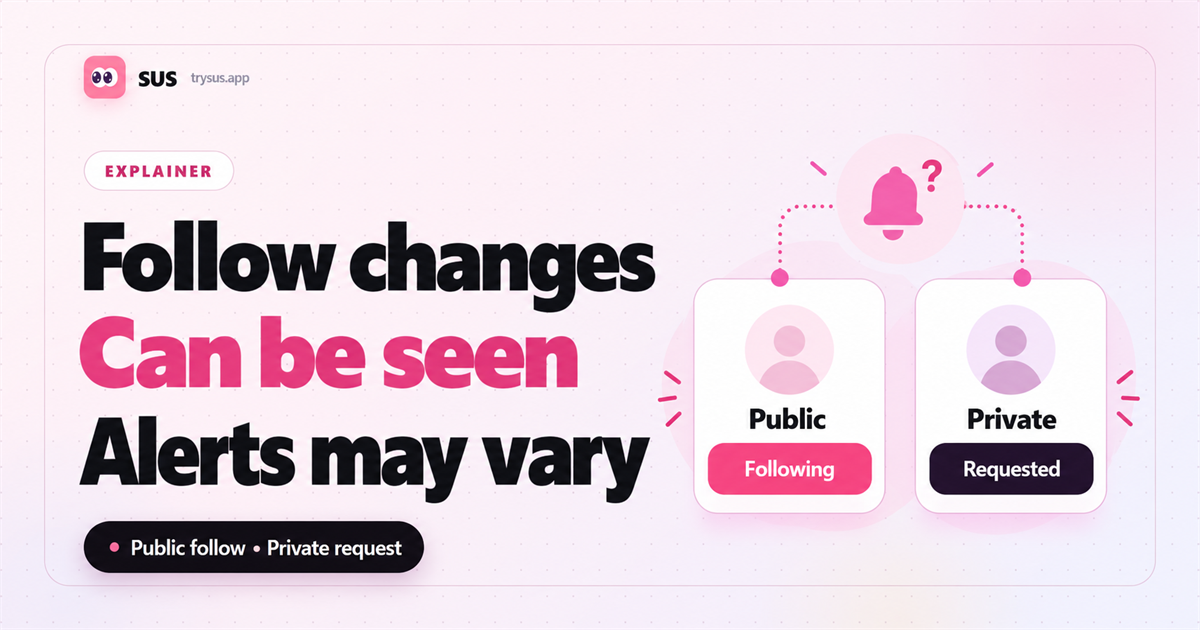
When you tap Follow on a public Instagram account, the other account can see that you are now a follower. On a private account, the same tap becomes a follow request the owner can review. A push alert or an in-app notification may also appear, but notification settings, device state and delivery vary, so it is not safe to promise that every person sees the same thing at the same moment. If you followed by mistake and undid it quickly, assume the action could have been noticed. What you cannot claim is that a notification definitely stayed or definitely disappeared.
Most of the confusion around this question comes from mixing up three separate things: the account relationship, the follow request, and the alert. Keep them apart and the rest of the answers get short.
Short answer: what the other account can see
Three things happen or may happen when you tap Follow, and they are not equally certain.
The relationship changes. On a public account your username joins their followers, and it remains in that list until you unfollow or the relationship changes some other way.
A request is created. On a private account nothing is added yet. The owner sees a pending follow request and can approve or delete it.
An alert may be delivered. Instagram can show a notification for a new follower or a new request, but whether that alert reaches a particular phone, and when, depends on that account's notification settings, the app version and ordinary delivery conditions.
That third layer is the one people treat as a guarantee. It is not one. The relationship change is reliable; the alert is not.
Public accounts and private accounts are different
Public account. Tapping Follow adds you to the account's followers. The account owner can verify the relationship in their follower list. A notification may also be shown, but you should not assume it appeared or was read.
Private account. Tapping Follow sends a request instead. The owner can review it and decide whether to approve or delete it. Until approval, you are not a follower and cannot see their private posts, Stories or Reels. If you want the fuller picture of how much a locked account reveals, see what a private Instagram account lets other people see.
The practical difference is what the other person can check. A public account can confirm the relationship by opening their follower list. A private account can confirm it by opening their request queue. Neither of those is the same as proving that an alert appeared on their screen.
What if you follow and unfollow quickly?
Unfollowing ends the current relationship. Your username comes out of their follower list, and on a private account a withdrawn request leaves the queue.
What it does not do is rewrite what already happened. The other person may have seen the relationship, the request, or an alert before you undid it. They may also have missed all of it, particularly if the account was not being checked at the time.
So there is no reliable way to undo the possibility of being noticed. Anyone who says a quick unfollow guarantees silence is describing an assumption, not a documented behaviour.
The practical advice is the boring one: do not follow and unfollow repeatedly to test what the other person sees. Each cycle creates another visible change, and a pattern of them is more noticeable than a single tap. If you followed by mistake, undo it once and stop. Your own side of the record is the part you can actually check, and how to see when you followed someone on Instagram covers where that sits.
Viewing a profile or following list is a different action
Following changes something on the other account. Viewing does not. Opening a profile, scrolling their grid, or reading their following list creates no relationship and sends no request, so there is nothing for the other account to approve or decline.
That is why the two questions have different answers. Whether viewing someone's Following list sends a notification is a separate question with its own explanation, and it does not follow from what happens when you tap Follow.
Keep the queries apart when you search, too. A guide about follow alerts will not answer a question about list visibility, and the reverse is also true.
Can a third-party tool make a follow anonymous?
If a service actually performs the Follow through your account, the result is still visible as a follower relationship on a public account or as a request on a private one. Using a different interface does not make that relationship or request anonymous.
If the service only reads public information, then it has not followed anyone, and there is nothing to be anonymous about. That distinction explains most of the gap between what these pages promise and what a user experiences.
A cautious rule: treat a claim that a follow can be made invisible as unproven until the service explains, in plain terms, what it does with your account. Nothing in the public documentation describes a way to follow without the relationship changing.
Frequently asked questions
Does Instagram send a notification every time you follow someone?
Not in a way you can rely on. The follow itself produces a visible change: a new follower on a public account or a pending request on a private one. Whether a push alert or in-app entry appears, and when the other person notices it, depends on their notification settings, device state and actual delivery. Treat the relationship change as visible and the alert as possible, not guaranteed.
Does unfollowing remove a follow notification?
Unfollowing removes the current follower relationship. It does not give you a way to confirm what the other person saw earlier. There is not enough public information to say that a previous alert is kept indefinitely, and not enough to say it vanishes. If they already saw the relationship or the alert, undoing it does not undo their memory of it.
Does Instagram notify someone when you view their profile or Following list?
Viewing is not following, and the two are handled differently. Opening a profile or reading a following list creates no relationship, so there is no follow alert attached to it. The section above on viewing covers what that does and does not reveal.
If you want a record you can verify, focus on your own account. SUS helps you check your own Instagram follow dates on iPhone; it does not read another person's notifications or private account data.